Deleting an Activity
Most activities are never deleted — once an exhibit, class visit, or presentation is over, it has a history of requests and attached users that's worth keeping. The usual way to retire an activity is to mark it inactive so it stops showing up in researchers' web accounts while its records stay intact.
Deleting is for the other case: an activity you created in error, a duplicate, or a test entry that never had any requests placed against it. Because deletion is permanent, Aeon only allows it when nothing depends on the activity. The instant an activity has even one request linked to it, deletion is blocked and Aeon steers you to mark it inactive instead.
- You created an activity by mistake (wrong name, duplicate, test entry) and it has no requests attached — delete it to remove it cleanly.
- An activity has requests but you want it out of researchers' views — you don't delete it, you mark it inactive (Aeon will offer this automatically if you try to delete).
Deleting an activity
-
Open the activity you want to remove (for example, from the Activities list — see Opening and Viewing Activities).
-
In the activity detail toolbar across the top, click Delete (the trash icon).
-
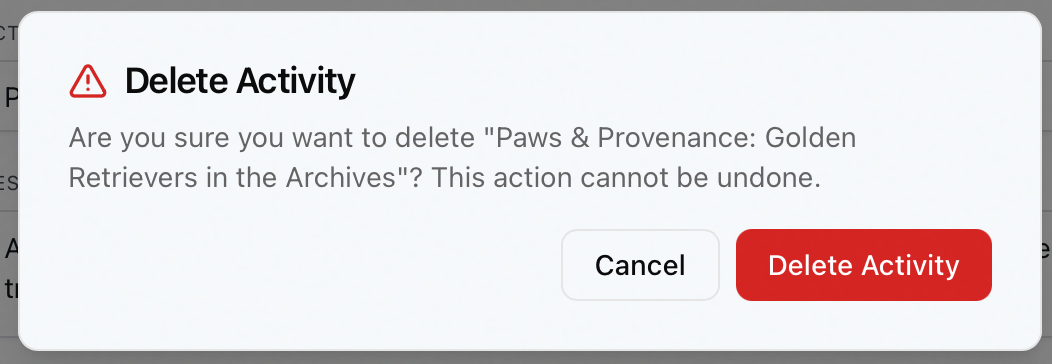
A confirmation dialog titled Delete Activity appears, asking "Are you sure you want to delete [the activity]? This action cannot be undone."
-
Click Delete Activity to confirm, or Cancel to back out.
-
On success, the activity is removed and Aeon shows "Activity #1234 deleted." The detail view closes and the activity drops off the list.
There is no undo. Deleting an activity removes it and its related data (such as the user links and attendance you set up) from the system. If you only want it hidden from researchers, mark it inactive instead — see below.
When the activity has requests attached
Aeon will not delete an activity that still has request transactions linked to it. This protects the request history: those requests reference the activity, and removing it would orphan them.
If you click Delete Activity on an activity that has linked requests, the dialog switches to a second screen titled Cannot Delete Activity:
[The activity] cannot be deleted because it has requests linked to it. Would you like to mark it as inactive instead?
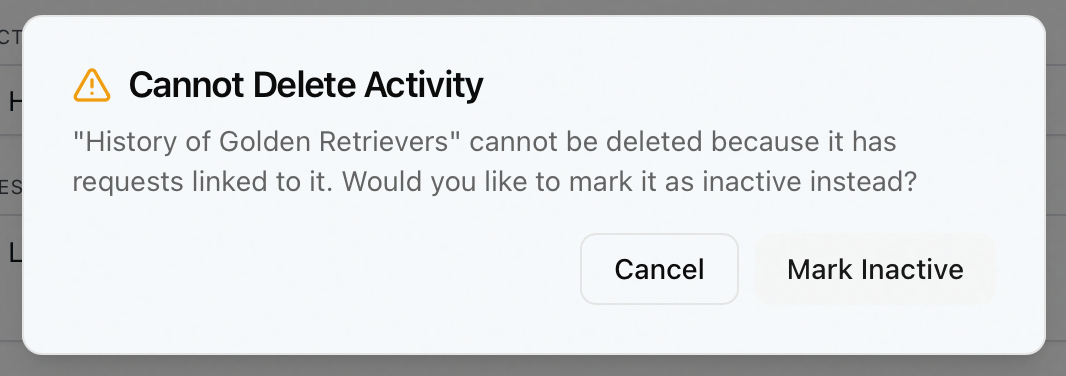
You have two choices:
- Mark Inactive — keeps the activity and all its records, but flips it to inactive so it no longer appears in associated researchers' web accounts. Aeon confirms with "Activity #1234 marked as inactive."
- Cancel — leaves the activity exactly as it was.
Marking an activity inactive is the same as clearing the Active checkbox on the activity's details — the activity stays in the system with its requests, users, and attendance intact; it just stops surfacing to researchers. You can reactivate it later by editing the activity and turning Active back on. Deleting, by contrast, is permanent and only possible when no requests are attached.
Permissions and locking
Deleting an activity requires the Full access level on the Activities permission — a higher bar than the Edit level used for everyday activity changes. If your role has View or Edit access but not Full, the Delete button is disabled. (The same Full level governs deleting activity notes and attendance records.)
Marking an activity inactive, by contrast, is an ordinary edit and only needs Edit access — so a staff member who can't delete can still retire an activity by clearing its Active checkbox.
If a coworker holds the lock on the activity, the Delete button is disabled until they release it. Coordinate with the person who has it open rather than waiting on a stuck lock. (See Opening and Viewing Activities for how activity locking works.)